UP Voter List Update:Has Your Name Been Removed? Check in 5 Easy Steps.
UP SIR voter list online check: The Uttar Pradesh Election Commission has released the draft voter list, in which the names of 2.89 crore voters have been removed. These include deceased, relocated, and duplicate names. Voters can apply for corrections through Forms 6 and 8 until February 6th.
 Ankush Pandey
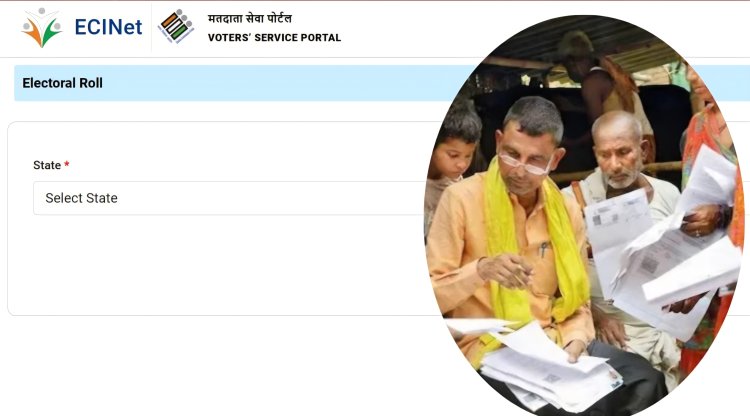
The Chief Electoral Officer (CEO) of Uttar Pradesh, while releasing the data for the state's new draft voter list, stated that approximately 2.89 crore voters' names have been removed from the list after a massive verification drive. Following this purge, Uttar Pradesh's voter base has shrunk from 15 crore to approximately 12 crore.
Bengal Elections Update: Over 58 Lakh Names Deleted as Poll Body Releases Bengal SIR Draft List
According to the Chief Electoral Officer, the verification process and the significant reduction in voter numbers occurred because only 81 percent (approximately 12 crore) of the 15 crore voters on the old list signed and returned the verification forms.
The remaining 18 percent of the data showed discrepancies. The removed names included 46.23 lakh deceased individuals, 2.17 crore migrated voters, and 25.47 lakh duplicate voters (whose names were registered in more than one place).
You have until February 6th to make corrections; here's how to check.
The Election Commission has appealed to the public to check their names in the electoral roll. If the name of any eligible person is missing, they can get it added by filling out Form-6. Form-8 can be used for corrections to address or name.
Citizens can also check their names through ECI.net or via their mobile phones. Here's how you can check your name in the draft electoral roll:
1. First, go to the Election Commission's website https://voters.eci.gov.in/download-eroll, where a page like this will open.
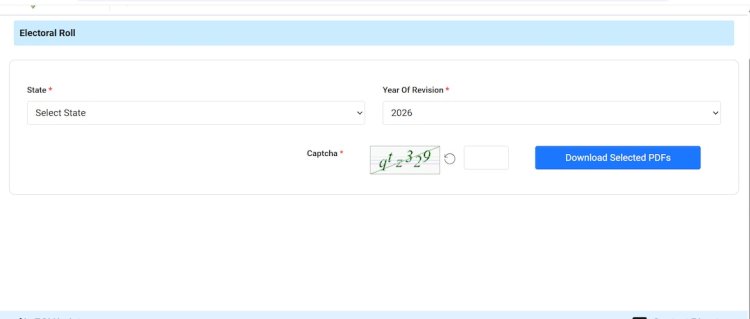
2.After that, select the state, then choose the district and the assembly constituency.
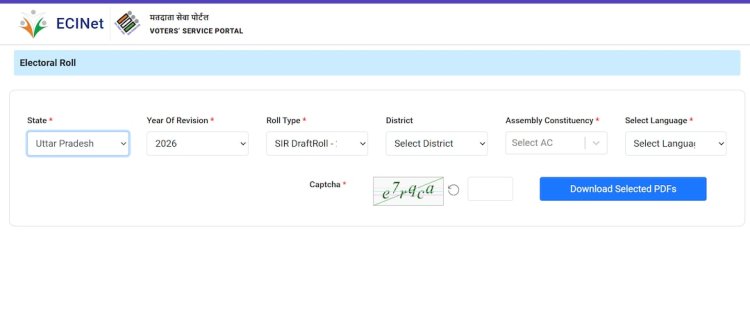
3.Then, correctly fill in the captcha code provided below.
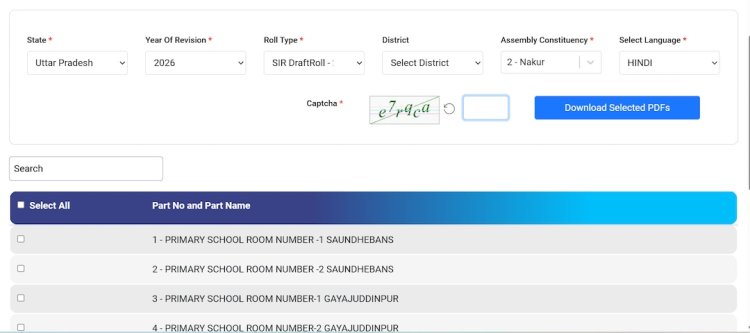
4.As soon as you select your assembly constituency, a list of booth numbers will appear below. Select your booth, i.e., the one where you cast your vote, and then click on the download option.
5. Your booth might not be on the first page. In that case, you can enter your booth name in the search option, and it will appear immediately. You can then download it.
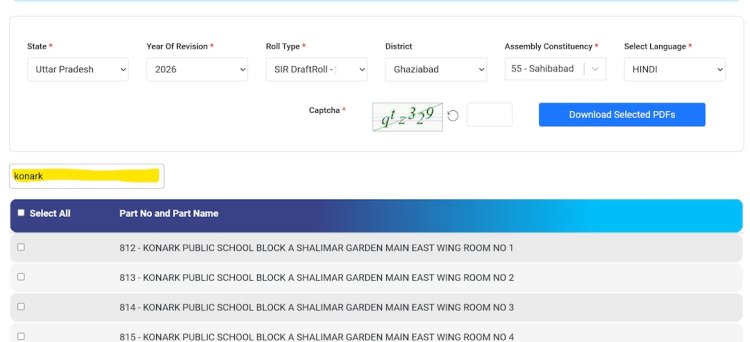
Finally, the PDF of your polling booth's voter list will appear on your screen, where you can check your name.
All citizens who have completed 18 years of age are advised to fill Form-6 if their name is not on the list, and to use Form-8 for any corrections or updates. The Election Commission has also appealed to political parties for their continued cooperation in this process.